WCUS has three days of sessions, and some are quite interesting to me. As most WordCamps the schedule also has an option to identify favorites with a ??. I normally would miss sessions if they are not in my calendar but I also didn’t want to add 16 session events into my calendar by hand so I asked Claude Code to help me out.
From the schedule page you can get a link with your favorite sessions using the little menu on the bottom of the page, and using the “Link” tab.

Equiped with that I worked with Claude Code to find the right REST API end point for sessions and using the ids from the link to obtain the relevant information: Session title, time, speaker and location.
It then filled it into a standard ics format and stored the list of all the vents in a file on my computer.
In the next step, I created a new Google calendar WCUS Fav Session and imported the events into that calendar via Settings > Import and uploaded the file.

The single event looks like this:
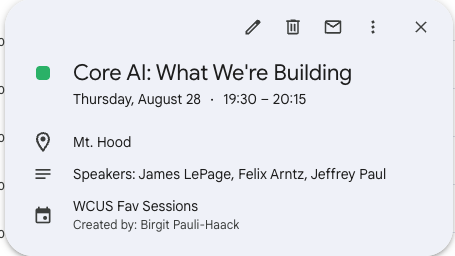
After it all worked well, I wanted to make the process reusable and asked Claude Code to create a python script, using the user input of a Fav link from any WordCamp that uses the built-in session custom post time and schedule builder.
So I would be equipped for the next WordCamp I will be visiting.
You can also try it out. I uploaded the code to GitHub. Let me know if it works for you.

Leave a Reply